Want a heads up when a new story drops? Subscribe here.
Your website is not a brochure. It stopped being a brochure about ten years ago, and if you are still thinking about it that way, that mindset is costing you leads every single day. In 2026, your website is the hub of your entire customer acquisition system. It is where paid ads send people. It is what comes up when someone asks ChatGPT to recommend a business like yours. It is the thing a prospect opens on their phone at 11pm when they are deciding whether to call you in the morning. If it does not work, nothing else in your marketing works either.
For small businesses, WordPress remains the most powerful, flexible, and cost-effective platform for building a website that actually does its job. Not because it is the easiest. Not because it is the flashiest. Because when it is built correctly, it gives you more control over your content, your SEO, your AEO structure, and your ability to grow without starting over every two years than any other platform available at any price point.
This guide covers everything a small business owner needs to know about WordPress web design in 2026. What it actually needs to perform. What it costs. How it compares to the alternatives. And what you need to demand from any agency or developer you hire to build it.
Table of Contents
Why WordPress Is Still the Right Choice for Small Businesses in 2026
WordPress powers over 43 percent of every website on the internet. That number has not gone down. It has gone up every year for the past decade. And before you dismiss that as a vanity statistic, consider what it means in practice. It means the developer ecosystem is enormous. It means the plugin library covers virtually every function you could ever need. It means when something breaks or you need to add a feature, you are not waiting for a proprietary platform to release an update. You fix it, or you find someone who can fix it, today.
The argument against WordPress in 2026 usually comes from people trying to sell you something else. Squarespace wants your monthly subscription. Wix wants your annual plan. Shopify wants a percentage of your revenue. These platforms have their place, and we will address that honestly later in this guide. But for a small business that needs a professional website with real SEO capability, content flexibility, and long-term ownership of its own digital asset, WordPress is not just a good choice. It is the standard everything else is measured against.
What Changed About WordPress in 2026
The WordPress of 2026 is not the WordPress of 2018. The Gutenberg block editor has matured into one of the most intuitive content editing experiences available on any platform. Page builders like Elementor and Divi have become genuinely powerful tools for building complex layouts without touching code. The hosting ecosystem has professionalized significantly, with managed WordPress hosting from providers like WP Engine, Kinsta, and Cloudways handling security, performance, and updates automatically.
The result is that the gap between what a small business can achieve on WordPress and what an enterprise brand achieves has narrowed considerably. A well-built WordPress site in 2026 loads fast, looks sharp on every device, passes Google’s Core Web Vitals, and provides the structural foundation for both traditional SEO and the AEO strategies that are becoming increasingly important as AI search tools change how people find businesses.
What a High-Performing Small Business WordPress Site Actually Needs
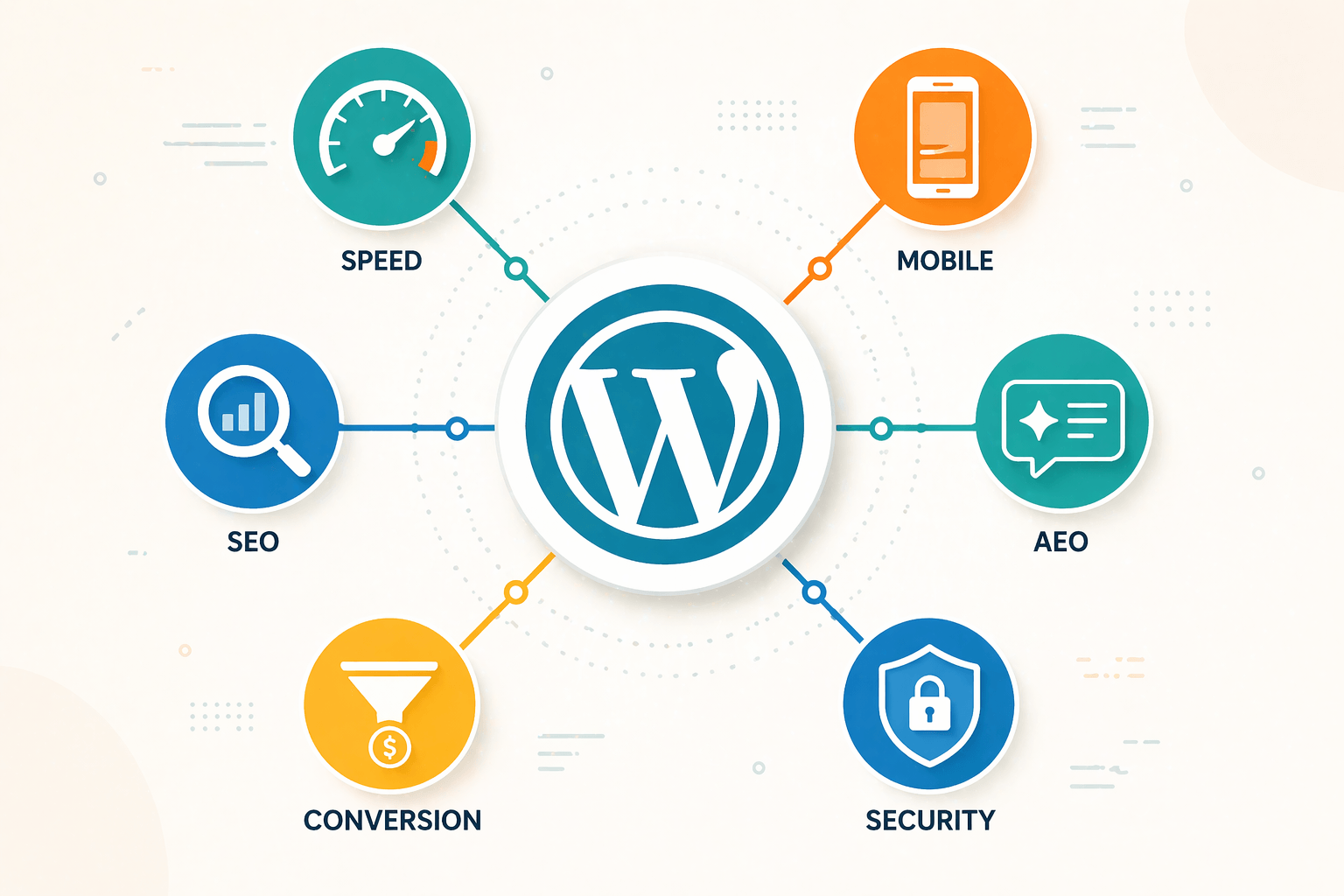
This is where most conversations about WordPress go wrong. People focus on what the site looks like and forget to ask what the site needs to do. Design is important, absolutely. But design in service of performance is what separates a website that generates leads from a website that just looks nice in a portfolio screenshot.
Speed That Passes the 2026 Standard
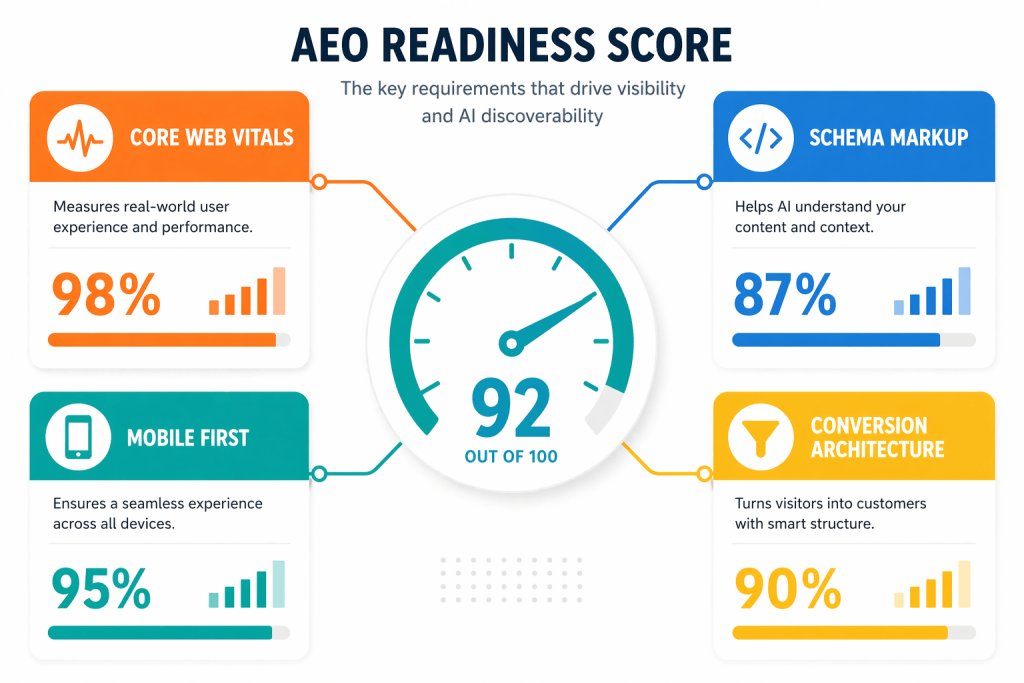
Google’s Core Web Vitals scores are now a direct ranking factor, and the standard has gotten stricter. In 2026, a high-performing small business website needs to achieve a Largest Contentful Paint of under 2.5 seconds, a Cumulative Layout Shift score under 0.1, and an Interaction to Next Paint score under 200 milliseconds. These are not aspirational benchmarks. They are the threshold between a site that Google treats as high quality and one it penalizes in rankings.
Achieving these scores on WordPress requires the right hosting, a properly configured caching setup, optimized images, a clean theme without bloated code, and a disciplined approach to plugins that eliminates anything not earning its load time. This is why choosing the right developer matters as much as choosing the right design. A beautiful site that loads in five seconds is a beautiful site that does not rank and does not convert.
Mobile Design That Actually Works
Over 60 percent of web traffic comes from mobile devices. That number is higher for local service businesses and consumer-facing brands. Responsive design, meaning a site that adjusts its layout for different screen sizes, has been the baseline requirement for years. But responsive design is not the same as mobile-optimized design.
A mobile-optimized WordPress site in 2026 is designed for mobile first, with the desktop experience built as an expansion of the mobile experience rather than the other way around. Buttons are large enough to tap accurately. Forms are short enough to complete on a small screen. Phone numbers are clickable. Menus are accessible without frustration. The content hierarchy is reconsidered for vertical scrolling rather than adapted from a horizontal layout as an afterthought.
AEO-Ready Content Architecture
This is the requirement most web designers are not yet building into their projects, and it is the one that will matter most over the next two to three years. An AEO-ready WordPress site has a content structure that allows AI answer engines to extract clear, direct answers from its pages.
This means proper heading hierarchy throughout every page. It means FAQ sections on service pages with schema markup that tells search engines and AI systems exactly what question each block of content answers. It means page titles and meta descriptions written as direct answers to the questions your customers ask, not as clever taglines. It means the content on your most important pages leads with the answer rather than building up to it through paragraphs of context.
The businesses whose websites are AEO-ready today are the ones that will be cited by ChatGPT, Perplexity, and Google AI Overviews when someone asks about their category in their market. The ones that are not will be invisible in an increasing percentage of the searches that matter most.
Conversion Architecture That Guides Visitors to Action
A website without a clear conversion path is a website that generates traffic but not leads. Every page on a high-performing small business WordPress site has a job, and that job ends with the visitor taking an action: filling out a contact form, calling a phone number, booking an appointment, downloading a resource, or signing up for an email list.
Conversion architecture means that the path from landing on any page to taking that action is short, clear, and friction-free. It means the call to action appears above the fold on every key page. It means the contact form asks for the minimum information required to start a conversation, not a questionnaire that feels like a tax return. It means trust signals, client logos, testimonials, and awards, appear near every decision point rather than buried on a separate page that most visitors never reach.
The Real Cost of WordPress Design in 2026
Transparency matters here because this topic is surrounded by wildly inconsistent pricing that confuses small business owners and leads to bad decisions. The range is genuinely wide, and understanding why helps you make a smarter investment.
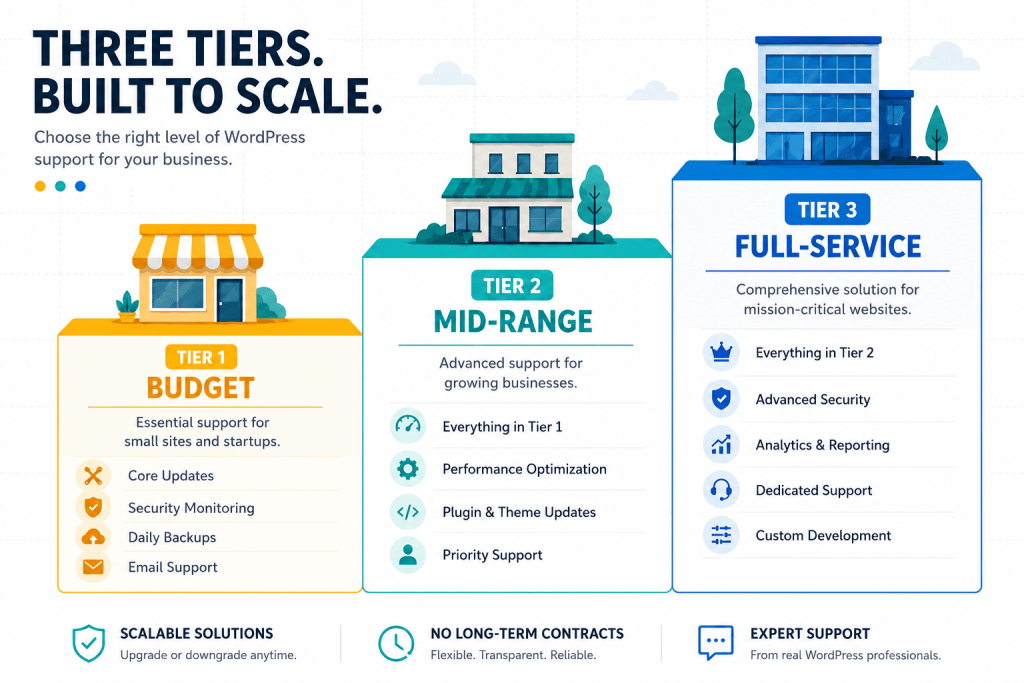
At the low end, freelancers and offshore development shops will build a WordPress site for anywhere from 500 to 3,000 dollars. These sites are usually built on a purchased theme with minimal customization, no performance optimization, no SEO architecture, and no conversion strategy. They look like websites. They do not work like revenue generators. If your only goal is to have something live when someone Googles your business name, this tier gets you there. If your goal is leads and growth, it does not.
Mid-range projects from experienced freelancers or small agencies run from 5,000 to 15,000 dollars. This is where you start getting custom design, proper performance optimization, SEO architecture built in from the start, and a developer who understands conversion rather than just layout. For most small businesses, this is the right tier.
Full-service agency projects for more complex small business sites, those with multiple service areas, e-commerce components, booking systems, or custom integrations, run from 15,000 to 40,000 dollars. This tier includes strategy, design, development, content, SEO setup, and typically some level of ongoing support after launch.
The Hidden Costs Most Small Businesses Miss
The build cost is only part of what a WordPress site costs. Ongoing costs include hosting, which ranges from 30 to 300 dollars per month depending on traffic and performance requirements, premium plugins for forms, SEO, security, and performance tools, which typically run 500 to 1,500 dollars per year in aggregate, and maintenance, which covers WordPress core updates, plugin updates, security monitoring, and backups.
A site that is not maintained is a liability. Outdated WordPress installations are the primary vector for the security breaches that take small business sites offline or, worse, turn them into vehicles for malware distribution. Budgeting for maintenance from day one is not optional. It is basic digital hygiene.
WordPress vs Webflow vs Squarespace: An Honest Comparison for Small Business Owners
The platform question comes up in almost every web design conversation, and the honest answer is that the right choice depends on what you are actually trying to accomplish.
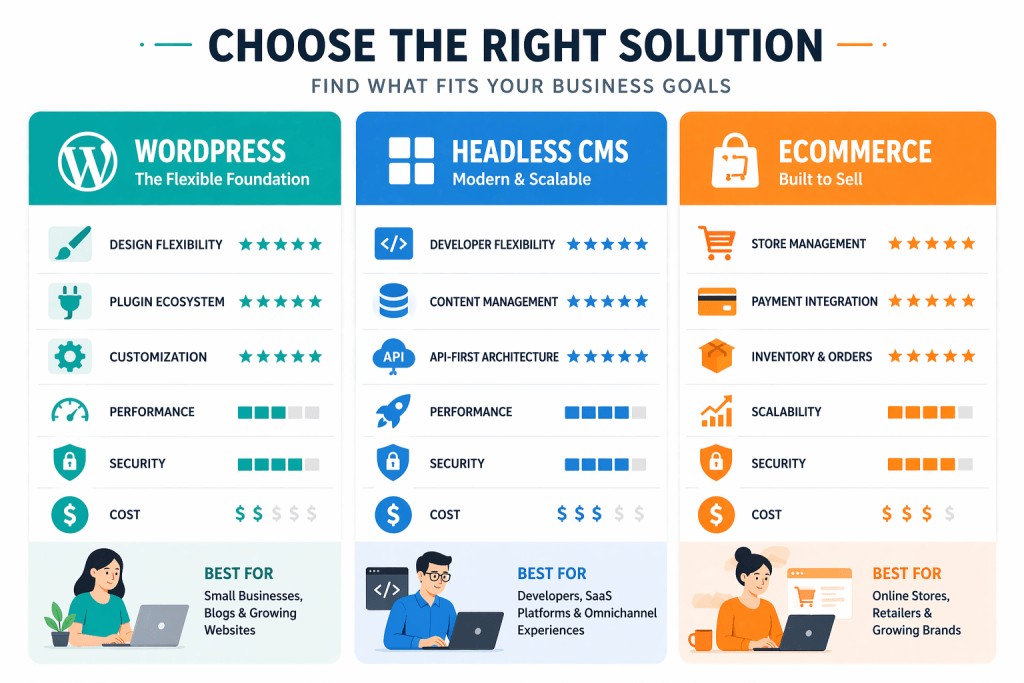
WordPress vs Webflow
Webflow has become a legitimate competitor for design-forward projects where the visual output is the primary priority. It produces beautiful, highly customized sites with clean code and good performance. For small businesses with significant design budgets and a team that can manage a Webflow environment, it is a real option.
The limitations are meaningful though. The developer ecosystem is far smaller than WordPress. The plugin equivalent, Webflow’s app marketplace, covers far less functionality. Exporting your site and moving it elsewhere if you outgrow Webflow or want to change agencies is significantly more complicated than it is on WordPress. And the content editing experience for non-technical users is less intuitive than modern WordPress with a good page builder.
For most small businesses, WordPress offers more long-term flexibility and a lower total cost of ownership than Webflow, even if Webflow sometimes produces more visually striking results at the high end of design budgets.
WordPress vs Squarespace
Squarespace is a legitimate solution for the smallest small businesses: solo practitioners, creative professionals, and service providers who need a simple, clean web presence and have no intention of investing in content marketing or serious SEO. It is easy to use, it produces professional-looking results without a developer, and the pricing is predictable.
The ceiling hits fast though. Squarespace’s SEO capabilities are limited compared to WordPress with a plugin like Yoast or Rank Math. The ability to customize functionality is constrained by Squarespace’s own roadmap. AEO-specific schema markup is difficult to implement without developer workarounds. And the content management experience for businesses that publish regularly is noticeably less capable than WordPress.
If you are a small business that takes content marketing and search visibility seriously, you will hit the walls of Squarespace within 12 to 18 months of taking your digital presence seriously. Building on WordPress from the start avoids the cost and disruption of migrating later.
AEO and AI-Ready Design: What Your WordPress Site Needs to Be Found in 2026
This deserves its own section because it is the requirement most web design conversations completely skip, and it is the one that will define which small business websites gain visibility and which ones lose it over the next three years.
AI search tools, including Google AI Overviews, ChatGPT with browsing, and Perplexity, are increasingly the first stop for people researching local services, comparing options, and asking the questions that precede a purchase decision. The websites those tools cite are the ones that are structured to be cited. The ones that are not simply do not appear in the answer, regardless of how good their traditional SEO is.
Schema Markup Is No Longer Optional
Schema markup is structured data code that tells search engines and AI systems exactly what type of content is on each page. For small businesses, the most important schema types are Local Business schema, which communicates your location, hours, services, and contact information in a format AI can read directly, FAQ schema on service pages, which allows AI to extract specific question-and-answer pairs for citation, and Review schema, which surfaces your star ratings in search results and builds the credibility signals AI systems use to evaluate source quality.
Implementing schema on a WordPress site is straightforward with the right plugin. Rank Math and Yoast SEO Premium both handle schema generation with minimal technical requirement. The gap between sites with properly implemented schema and sites without it, in terms of AI citation probability, is significant and growing.
Page Speed Is an AEO Factor Too
AI systems that crawl and index content for citation purposes apply quality filters that include page performance. A slow site is not just a conversion problem. It is a visibility problem in AI search. The Core Web Vitals work you do for traditional SEO directly improves your AEO citation probability. These are not separate workstreams. They are the same investment producing compound returns.
How Socialfix Approaches WordPress Design for Small Businesses
At Socialfix, we have been building WordPress sites for 20 years. We have built them for solo practitioners and for brands like Rutgers and Toyota. We have watched the platform evolve and we have evolved with it. What we build today is fundamentally different from what we built five years ago, not because the platform changed but because what a website needs to do changed.
Every WordPress project we take on starts with a strategy conversation, not a design conversation. We want to understand your conversion goal before we talk about colors and layouts. We want to know who your buyer is, what question they are asking when they find you, and what action you need them to take. The design serves that strategy. Not the other way around.
Our builds include performance optimization as a standard deliverable, not an upgrade. They include AEO-ready content architecture from the start. They include schema markup on every key page. They include conversion architecture that is tested against real user behavior, not just approved in a design review meeting.
And we build sites that your team can actually manage. Too many agencies build WordPress sites that require a developer to change a phone number. That is not how we work. We train your team on the content management system, document the site architecture, and make sure you own your digital asset completely, including all the code, all the content, and all the access credentials.
If your current website is not generating the leads your business needs, or if you are planning a redesign and want to do it once and do it right, start the conversation with our team at socialfix.com. We will tell you honestly what your site needs and what it will take to get there.